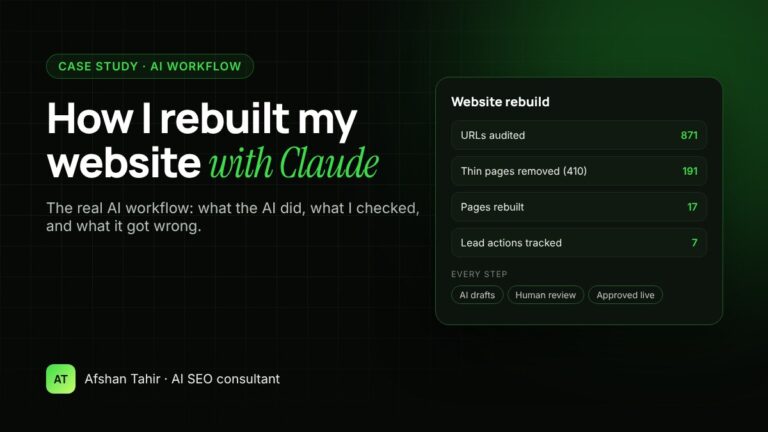
In October and November 2026 I rebuilt this website with Claude as my AI assistant. I audited 871 URLs, removed 191 thin pages, rebuilt 17 pages and set up lead tracking, with every step checked by me before it went live. This is the real workflow: what the AI did, what I did, and the mistakes my reviews caught.
I’m sharing it because “AI SEO” often sounds like hype. This is what it looks like in practice, and it’s the same process I use for clients through my AI SEO services and AI automation services.
The starting point
The old site had grown in the wrong direction. It had:
- Hundreds of thin pages. Most were near-identical location pages that Google wasn’t showing to anyone.
- Unclear positioning. Visitors couldn’t quickly see what I offer or who I help, and AI services weren’t mentioned at all.
- No lead tracking. Google Analytics recorded visits, but not bookings, WhatsApp clicks or emails, so there was no way to see which pages brought in clients.
- Slow, plugin-heavy pages. The design loaded far more code than each page needed.
The workflow: what AI did and what I did
I worked in stages and approved each one before the next started. Claude worked inside my browser and on my files with my permission. It never had my passwords, and it didn’t publish anything I hadn’t approved.
| Stage | What Claude did | What I did |
|---|---|---|
| 1. Audit | Listed all 871 URLs, checked status codes, titles, indexing and duplicate content, and matched them against Search Console data | Decided which pages had real value and which were “zombie” pages |
| 2. Strategy | Researched competitors and keywords, then drafted the page structure and a keyword-to-URL map | Chose the services and niches to focus on and rejected ideas that didn’t fit my work |
| 3. Design | Built page designs as code, tested them at desktop and mobile widths and checked for layout breaks | Reviewed every page and asked for changes until it looked right |
| 4. Content | Drafted page copy, FAQs and structured data from my real profiles, reviews and project history | Corrected facts, removed anything I couldn’t stand behind and approved the wording |
| 5. Build | Deployed pages to WordPress, set SEO titles and descriptions, and added redirects, 410 responses and speed settings | Approved each change before it went live and kept backups of old pages |
| 6. Testing | Checked every page while logged out, verified status codes, schema, sitemaps and tracking events | Made test bookings to confirm tracking worked end to end |
The numbers
- 871 URLs audited, each sorted into keep, improve, redirect or remove
- 191 thin pages removed with a “410 Gone” status, plus a removal request in Google Search Console
- A small set of redirects (301s), only for old pages that had real value, pointing to their closest new page
- 17 pages rebuilt: home, about, contact, blog, case studies, six service pages, five industry pages and one city page
- 7 lead actions tracked in Google Analytics 4, including Calendly bookings, WhatsApp clicks, phone clicks and email clicks
- Mobile PageSpeed score of 86 on the homepage after the speed work, with Largest Contentful Paint at 2.8 seconds
- Structured data on every key page: Person, Service, FAQ and breadcrumb schema
Why I removed pages instead of redirecting them
The first plan was to redirect most of the old pages. I changed that during review. A redirect makes sense when a page has links, traffic or rankings to pass on. Most of these pages had none: no impressions, no clicks and many weren’t indexed.
Redirecting hundreds of empty pages would only create a long chain of rules to maintain. So the pages with value got a 301 redirect, and the rest return “410 Gone”, which tells Google the page was removed on purpose. Pages that are gone also come out of the sitemap, so search engines spend their time on the pages that matter.
What the AI got wrong, and how review caught it
This is the most important part. AI makes a rebuild much faster, but it doesn’t replace judgement. These are real examples from this project:
- It wrote promises I hadn’t made. Early drafts included lines such as “replies within 48 hours” and “available Monday to Saturday”. They sounded good, but I hadn’t committed to them, so they came out.
- It added sales labels without evidence. A pricing card said “Most popular”. I had no data showing that, so it became “Recommended”.
- It guessed why a booking wasn’t tracked. When a test booking didn’t appear in Analytics, the first explanation was that I was logged in. That was wrong: the booking came from a team member who wasn’t logged in. I caught it, not the AI, because I knew who had booked.
- It planned too many redirects. As explained above, I cut these back to the pages that deserved them.
- Some design details broke on the live site. The theme overrode the logo font, and links in one box were hard to read on the dark background. Logged-out checks found both, and both were fixed.
- One speed setting didn’t help. Combining CSS files made no measurable difference, so it was reverted rather than left in “just in case”.
The pattern: AI is fast at research, drafting, building and checking. People are still needed for facts, promises, business decisions and anything a customer will read.
Guardrails I used
- Approval before every live change. Nothing was published, deleted or redirected without my yes.
- No passwords shared. I logged in myself; the AI worked inside that session.
- Backups first. Every replaced page and template was saved as a draft copy before changes.
- No invented numbers. Every figure on the site comes from my real profiles, reviews or tools.
- Client privacy. Only clients who agreed to be named appear on the site.
Results so far
The new site has only just gone live, so it’s too early to report ranking or traffic changes. I’ll update this article with Google Search Console data once there are at least six weeks of results to compare. Until then, I won’t publish any forecasts.
What this means if you hire me
You get the same process: a full audit first, a strategy you approve, and AI-assisted work that I review before anything goes live. That makes projects faster without cutting corners on accuracy.
- For search visibility on Google and in AI answers, see my AI SEO services.
- For AI workflows such as automated reports, Claude Projects and content operations, see my AI automation services. If you’re starting from zero, my guide on how to set up Claude Projects for your business is a good first step.
- For more client examples, see my case studies.
Frequently asked questions
Can AI rebuild a website on its own?
Not safely. AI can audit, draft, design and test quickly, but it also writes claims you haven’t made and guesses when data is missing. A person needs to approve facts, promises and every live change.
Which AI tool did you use?
Claude, working in my browser and on my files with my permission, alongside Google Search Console, Google Analytics 4, PageSpeed Insights, Rank Math and WordPress.
Is it better to redirect or remove old pages?
Redirect pages that have links, traffic or rankings to pass on. Pages with no impressions or value are better removed with a 410 status and taken out of the sitemap.
How long did the rebuild take?
The main rebuild took several working sessions across October and November 2026. For a client project, the timeline depends on the size of the site, so I give a fixed scope after the audit.
Want the same approach for your website? Book a free 30-minute call and I’ll show you what I’d audit first.