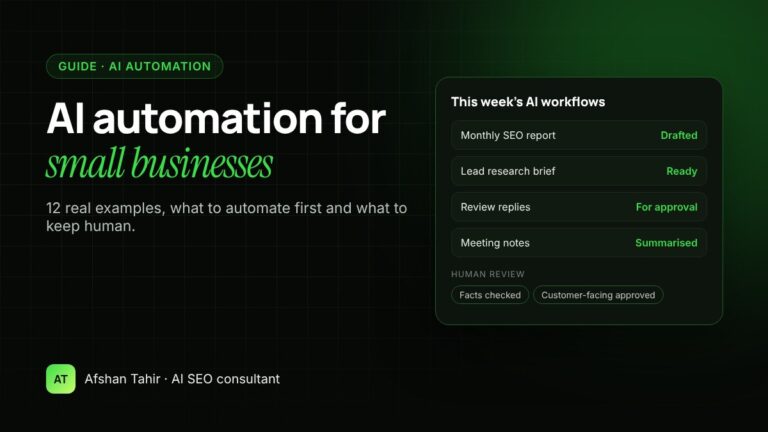
AI automation for small businesses means using AI tools to handle repetitive work such as reports, research, first drafts and sorting messages, so you and your team spend time on clients instead. The best results come from automating small, rule-based tasks that are easy to check, with a person approving anything a customer will see.
I set up these workflows for businesses through my AI automation services. Below are 12 real examples, what to automate first and what to keep human.
How many small businesses use AI?
It depends on how you ask. In a Goldman Sachs survey of 1,256 US small business owners in early 2026, 76% said they use AI. But only 14% said they had fully built it into their core operations (Goldman Sachs 10,000 Small Businesses Voices).
The US Census Bureau’s survey, which asks whether firms use AI in any business function, found a national rate of 19.8% in May 2026. Fewer than 20% of firms with four or fewer employees reported using it (US Census Bureau).
Put simply: many owners have tried ChatGPT or Claude, but few have turned AI into reliable workflows. That gap is where the time savings are.
What is the difference between AI and automation?
- Traditional automation follows fixed rules: “when a form is submitted, send this email.” It’s reliable but can’t read or write.
- AI can read, summarise and write: it can understand an email, pull figures from a report or draft a reply.
- AI automation combines the two. A workflow collects the information, AI does the reading or drafting, and a person approves the result.
12 real examples of AI automation for small businesses
Marketing
- Monthly SEO and marketing reports. AI turns Google Search Console and Analytics exports into a plain-English summary with three actions for next month. It replaces hours of copying numbers into slides.
- Content briefs. AI researches the questions customers ask and drafts a brief that matches your service pages and keywords. A writer, or you, then writes from a clear plan.
- Social media post drafts. AI turns each new blog post or case study into several post drafts in your brand voice, ready for you to edit and schedule.
- Review replies. AI drafts a personal reply to each Google review based on what the customer wrote. You approve each one before it’s posted.
Sales and leads
- Lead research. Before a sales call, AI summarises the prospect’s website, services and online reviews into a one-page brief.
- Follow-up email drafts. After a call, AI turns your notes into a clear follow-up email with the agreed next steps.
- Proposal first drafts. AI fills your proposal template using the call notes and your price list, so you edit rather than start from a blank page.
Operations
- Meeting notes and actions. AI summarises meeting transcripts into decisions, owners and deadlines.
- Process documents (SOPs). You explain a task out loud once; AI turns it into a step-by-step guide your team can follow.
- Data from documents. AI pulls key details such as dates, amounts and names out of invoices, forms or PDFs into a spreadsheet, for a person to check.
Customer support
- Answer drafts from your own knowledge. A Claude Project holds your policies, prices and FAQs, so staff get accurate draft answers in seconds.
- Inbox sorting. AI labels incoming emails as sales leads, support requests or admin, and flags urgent ones, so nothing important waits.
What should you automate first?
Pick a task that scores “yes” on all four questions:
| Question | Why it matters |
|---|---|
| Does it happen every week? | Weekly tasks repay the setup time quickly |
| Does it follow the same steps each time? | Repeatable steps make results consistent |
| Is the result easy to check? | You can spot mistakes before they cause harm |
| Is a mistake low-risk? | An internal report is safer to start with than a customer email |
For most small businesses, reporting, meeting notes and content briefs are the best first projects. Customer-facing work comes later, once you trust the process.
What should stay human?
- Final decisions on pricing, hiring, refunds and strategy
- Anything sent to a customer, until it has been reviewed
- Facts and numbers that go into reports, proposals or your website. AI can make up figures when data is missing.
- Sensitive data. Don’t put passwords, card details or private customer information into AI tools unless your plan and policies allow it.
In the same Goldman Sachs survey, 87% of owners said AI supports their employees rather than replacing them. That matches what I see: the goal is less busywork, not fewer people.
Is AI automation expensive?
The cost has two parts:
- Tools: AI assistants such as Claude or ChatGPT usually charge a monthly fee per user. Some workflows also need a connector or automation tool.
- Setup: designing the workflow, writing the instructions, testing with real tasks and training your team. This is where most of the value is, because a poorly set-up tool gives poor results.
The survey also explains why setup help matters. Among small businesses using AI, the most common barriers were data privacy and security concerns (50%), lack of technical expertise (49%) and difficulty choosing the right tools (48%).
I give a fixed quote after a free call, based on the number of workflows and how much training your team needs.
How to start this month
- List your repetitive tasks. Write down everything you or your team do every week that follows the same steps.
- Pick one. Use the four questions above.
- Write down the steps. How it’s done today, what a good result looks like and who checks it.
- Set it up and test it. Run it on three real examples and compare the result with your usual work.
- Measure the time saved over a month, then decide whether to add the next workflow.
If you’d like this done for you, my AI automation services cover the full process: choosing the right tasks, building and testing the workflows, and training your team. You can see how I used the same approach on my own site in my website rebuild case study.
Frequently asked questions
What is AI automation for small businesses?
It means using AI tools to handle repetitive tasks such as reports, research, first drafts and email sorting, with a person reviewing anything important or customer-facing.
How can AI help a small business?
AI can save time on reporting, content, lead research, follow-ups, meeting notes and customer support drafts, so owners and staff can focus on clients and growth.
Do I need technical skills to use AI automation?
No. Many workflows can be set up with standard tools. A specialist can design and test them, then train your team to use and adjust them.
Will AI replace my employees?
For most small businesses, no. AI takes over busywork. In a 2026 Goldman Sachs survey, 87% of small business owners said AI supports their employees rather than replacing them.
What is the best first task to automate?
A weekly task with the same steps each time, a result that’s easy to check and low risk if something goes wrong, such as an internal marketing report.
Not sure which tasks to automate? Book a free 30-minute AI call. We’ll look at how your team works today, and I’ll show you two or three tasks worth automating first.