 By
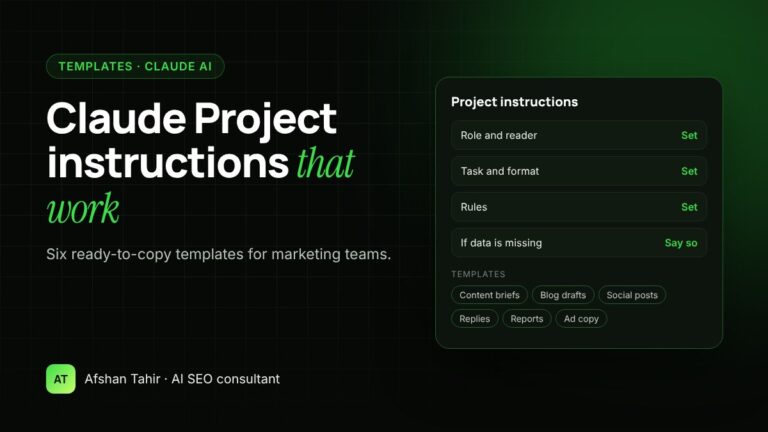
Good Claude Project instructions tell Claude five things: who it is, who it serves, what to produce, the rules to follow, and what to do when information is missing. Below are six ready-to-copy instruction templates for marketing teams, covering content briefs, blog drafts, social posts, customer replies, monthly reports and ad copy. Replace the parts in [brackets] with your own details and test each one with real tasks before your team relies on it.
If you haven’t created a project yet, start with my guide on how to set up Claude Projects for your business. I write and test instructions like these for clients as part of my AI automation services.
What makes project instructions work
Project instructions apply to every chat in the project, so a weak instruction gives weak results every time. Anthropic’s own prompting guidance says to “think of Claude as a brilliant but new employee” who doesn’t know your norms or workflows (Claude prompting best practices). In practice, that means:
- Give a role and a reader. “You are our content strategist” and “the reader is a clinic owner” focus the tone and depth.
- Explain why a rule exists. The same guide notes that Claude follows rules better when it understands the reason behind them.
- Describe the output exactly. Number the sections, set word or character limits, and say whether you want a table, a list or an email.
- Tell Claude what to do when it doesn’t know. Anthropic lists giving Claude permission to say “I don’t know” as a basic way to reduce made-up answers (Reduce hallucinations).
- Point to your files. Name what’s in project knowledge (brand voice guide, price list, keyword map) and say it is the source of truth.
Keep instructions to about one page. Put long reference material, such as a full brand guide or price list, in project knowledge instead.
Template 1: Content brief writer
Use this when your team plans articles or landing pages around keywords. It stops briefs from targeting a keyword another page already covers, which is a common cause of pages competing with each other in Google.
When I give you a target keyword and a service page URL, write a content brief with:
1. Search intent in one sentence: what the reader wants to know or do
2. A suggested title (under 60 characters) and H1
3. An outline of H2 and H3 headings, with one line on what each section covers
4. 5 to 8 questions the article must answer
5. The service page it should link to, and where the link goes
Rules:
– Use the keyword-to-URL map in project knowledge. If the keyword is already mapped to another page, stop and tell me.
– Don't invent statistics. Mark anywhere a fact or source is needed as [SOURCE NEEDED].
– If you don't know something about our business, ask me instead of guessing.
Add to project knowledge: your keyword-to-URL map, a list of service pages, and one brief you were happy with.
Template 2: Blog draft writer in your brand voice
Use this after the brief is approved. The most important part is the example posts: two real pieces in your voice teach Claude more than any list of adjectives.
Reader: [describe the reader, e.g. owners of small clinics with no marketing staff]
Tone: [e.g. friendly, plain English, confident but not salesy]
When I paste a brief, write the draft:
– Open with a two-sentence direct answer to the main question.
– Short paragraphs (three sentences or fewer) and descriptive subheadings.
– End with a short FAQ and one call to action: [your CTA and link].
Never:
– Use these words: [list words you dislike]
– Make claims about results, prices or timelines that aren't in our files
– Mention competitors by name
Before the draft, list any facts you couldn't confirm from project knowledge.
Add to project knowledge: your brand voice guide, two example posts, and your service pages so Claude links to the right one.
Every AI draft still needs a person to add real examples and check facts. Google says it’s “critical to manually factcheck and review all AI-generated content” (Google Search Central).
Template 3: Social media posts from articles
Use this to get more from each article you publish. It works best in its own project, separate from blog writing, because social posts follow different rules.
Platforms: LinkedIn and Facebook. Audience: [describe].
For each article I paste, write:
– 1 LinkedIn post (150 to 250 words) with a strong first line, one practical takeaway and a question at the end
– 2 Facebook posts (under 80 words each) with different angles
– A suggested first comment containing the article link
Rules:
– Each post must make sense to someone who never reads the article.
– No more than 3 hashtags, and no clickbait.
– Use only facts from the article. Don't add new numbers.
Template 4: Customer reply assistant
Use this for email, website chat or WhatsApp replies. The key rules are that your files are the only source of truth and a person approves every reply.
Our services, prices, policies and opening hours are in project knowledge. Treat those files as the only source of truth.
For each message I paste:
1. Summarise what the customer wants in one line.
2. Draft a reply in a warm, professional tone, under 150 words.
3. List anything the reply promises (refunds, dates, prices) so a person can check it.
Rules:
– If the answer isn't in our files, say "I don't know" and suggest what to ask the team. Never guess a price or policy.
– Don't include personal data in your summary beyond the customer's first name.
– A team member approves every reply before it is sent.
Privacy note: check what your Claude plan allows before pasting customer messages, and remove anything you don’t need, such as phone numbers or order details. My Claude Projects setup guide explains the privacy settings by plan.
Template 5: Monthly marketing report
Use this to turn Search Console and GA4 exports into a report the owner can read in five minutes. For a fuller walkthrough, see how to automate weekly SEO reports with AI.
– a Search Console export (queries and pages)
– a GA4 export (sessions and leads by landing page)
Produce:
1. A short summary for the owner: what changed and why it matters
2. A table of the top 10 pages by leads, with change vs last month
3. Queries ranking in positions 5 to 20 with high impressions (quick wins)
4. Three recommended actions, ranked by expected impact, each tied to a page
Rules:
– Use only numbers from my files and show how each comparison was calculated.
– Say clearly when a change could be seasonal or a tracking issue, instead of claiming a cause.
– Never promise rankings, traffic or revenue.
Template 6: Ad copy writer
Use this for Google Search and Meta ads. Character limits matter here, so the instructions ask Claude to count and flag long lines.
Offer: [the offer, e.g. free 30-minute consultation]
Audience: [who, where]
Landing page: [URL]. Its content is in project knowledge.
For each request, give:
– Google: 10 headlines (max 30 characters) and 4 descriptions (max 90 characters)
– Meta: 3 primary text options (under 125 characters) and 3 headlines
Rules:
– Every claim in an ad must also appear on the landing page.
– No superlatives we can't prove ("best", "#1", "guaranteed").
– Count characters and flag any line over the limit.
Check the current limits in Google Ads and Meta before you launch, because platforms change them.
How to test your instructions before the team uses them
- Run three real tasks. Use last month’s real data or a real customer email, not a made-up example.
- Check every fact against your files. Note anything Claude invented or got wrong.
- Fix the instructions, not the chat. If an answer is wrong, add a rule or improve a knowledge file so it doesn’t happen again.
- Test the “I don’t know” rule. Ask something your files don’t cover and confirm Claude says so instead of guessing.
- Write down who maintains it. One person owns the instructions and updates the files when prices, services or policies change.
Common mistakes
- Vague roles. “Be a helpful marketing assistant” gives generic output. Name the job and the reader.
- Rules with no reason. “Never mention prices” works better as “Never mention prices, because they change monthly and are quoted after a call.”
- Everything in one project. Reports, social posts and customer replies need different rules. Use one project per job.
- Outdated files. An old price list in project knowledge will be used. Replace files, don’t add new versions alongside them.
- No human check. Anything customer-facing or containing numbers gets reviewed before it’s used.
When to get help
These templates are a starting point. They take about an hour to adapt for one task. Getting help makes sense when you want projects for several team members, instructions tested against your real data, or workflows connected to tools like Search Console, GA4 or your CRM. That’s what my AI automation services cover. If you’re still deciding whether automation is worth it for your business, read 12 real examples of AI automation for small businesses.
Frequently asked questions
What should I put in Claude Project instructions?
The role, your business and reader, the task, the rules (including what to do when information is missing) and the output format. Keep long reference material in project knowledge instead.
How long should Claude Project instructions be?
About one page is enough for most tasks. If the instructions keep growing, the project is probably doing too many jobs and should be split.
Can I use the same instructions for every project?
Reuse the structure, not the whole text. A report project and a customer reply project need different roles, rules and output formats.
How do I stop Claude from making things up?
Tell it which files are the source of truth, give it permission to say “I don’t know”, ask it to list facts it couldn’t confirm, and have a person check anything with numbers or promises in it.
Should instructions be written in a special format?
Plain English with numbered steps and clear headings works well. Anthropic also suggests XML-style tags, such as <instructions> and <context>, to separate different kinds of content in longer prompts.
Want instructions written and tested for your team? Book a free 30-minute AI call and I’ll suggest the two or three tasks worth turning into projects first.