 By
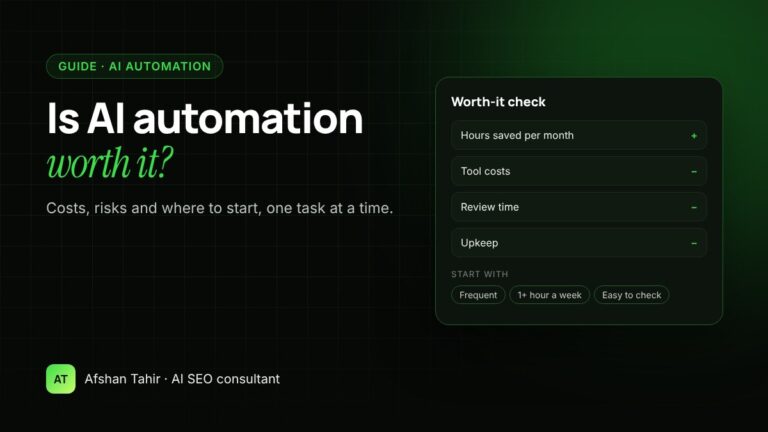
AI automation is worth it when it takes over a repetitive task that eats real hours every week, the output is easy to check, and the time saved is worth more than the tools, setup and review time. It isn’t worth it for rare tasks, tasks where a mistake is costly and hard to spot, or processes that aren’t working yet. This guide shows how to check that for your own business before you spend money.
I set up AI workflows for small businesses as part of my AI automation services. The honest answer is that some tasks pay back quickly and others are better left alone.
What small businesses report
A 2026 survey of 942 US small business owners, run by Centiment for Bluevine in April 2026, gives a useful picture (Bluevine Small Business AI Trends Report 2026):
- Time saved: 48% of businesses said AI saves them at least 4 hours a week, and 14% said 10 hours or more.
- Spending: 33% spend nothing on AI tools, 28% spend $25 to $99 a month, and 10% spend $250 or more.
- Top uses: data analysis (39%), marketing and sales (37%), automating operations (29%) and customer service (27%).
- Trust: 78% don’t fully trust AI to handle even low-level tasks without oversight, and 31% named lack of trust in AI accuracy as a barrier.
- Value: 20% said they weren’t seeing enough value yet.
So the time savings are real for many owners, but so is the need to check the work. Any honest worth-it calculation has to include review time.
The real costs of AI automation
| Cost | What it includes | Often forgotten? |
|---|---|---|
| Tools | Monthly fees for an AI assistant such as Claude or ChatGPT, plus any automation or connector tool | No |
| Setup | Mapping the task, writing instructions, connecting data and testing with real examples | Sometimes |
| Review time | A person checking facts, numbers and anything customer-facing | Yes |
| Upkeep | Updating files when prices or services change, fixing workflows when a tool changes | Yes |
| Training | Showing the team how to use it the same way | Yes |
A simple way to work out if it’s worth it
Do this for one task at a time, not for “AI” in general.
Monthly cost = tool subscriptions + time spent reviewing AI output + upkeep
Worth it if: monthly value is clearly higher than monthly cost, and the setup cost pays back within a few months.
Task: weekly SEO report, 3 hours by hand
With AI: 45 minutes, including checking the numbers
Hours saved: about 9 a month
Cost of an hour of that person’s time: $30
Monthly value: 9 × $30 = $270
Monthly cost: $25 tool + 1 hour of upkeep ($30) = $55
Net: about $215 a month, before the one-off setup
Use your own numbers. If you can’t say how many hours the task takes today, time it for two weeks first. Without a baseline, you can’t tell whether automation helped.
Where AI automation usually pays off, and where it doesn’t
| Usually worth it | Usually not worth it (yet) |
|---|---|
| Weekly or monthly reports built from the same data sources | Tasks you do a few times a year |
| First drafts of content briefs, proposals and replies from your own files | Decisions with legal, medical or financial risk |
| Sorting and summarising enquiries, reviews or survey answers | Work that depends on relationships or judgement, such as negotiating |
| Product descriptions and listings from structured data, checked before publishing | Processes that are messy or undocumented today |
| Turning one article into social posts and emails | Anything where errors are hard to spot before a customer sees them |
For more ideas, see 12 real examples of AI automation for small businesses.
The risks, and how to manage them
- Wrong facts and made-up numbers. AI can produce confident answers that are wrong. Tell it which files are the source of truth, allow it to say “I don’t know”, and have a person check anything with numbers or promises in it.
- Privacy. Data security was the top barrier in the Bluevine survey (33%). Check what your AI plan does with your data, and don’t upload passwords, card details or customer data you don’t need.
- Automating a broken process. If a task is already confusing for people, AI makes the confusion faster. Fix and document the process first.
- Hidden review time. If checking the output takes almost as long as doing the task, the automation isn’t saving anything. Measure it.
- Tool changes. AI tools change their features and prices often. Keep your instructions and files somewhere you control, so you can move them if needed.
- Customer trust. Customers notice generic, robotic replies. Keep a person in the loop for anything they will read.
Where to start
- List your repeat tasks. Write down everything your team does every week, and roughly how long each takes.
- Pick one task that is frequent, takes at least an hour a week, and is easy to check.
- Time it for two weeks so you have a baseline.
- Set it up and test it with real examples. A Claude Project is often enough to start, with no coding. My instruction templates for marketing teams give you a starting point.
- Measure for a month. Compare hours, error rate and review time against your baseline, then decide whether to keep it, change it or drop it.
Only move to a second task once the first one is clearly working.
Do it yourself or get help?
A single workflow for one person is often a good do-it-yourself project. Help makes sense when you want several workflows across a team, connections to your data (Search Console, GA4, your CRM or store), or a second opinion on which tasks are worth automating at all. That’s what my AI automation services cover. You can also request a free AI automation plan: tell me your repeat tasks and I’ll suggest which to start with.
Frequently asked questions
Is AI automation worth it for a small business?
It is for repetitive tasks that take hours every week and are easy to check. It usually isn’t for rare tasks, high-risk decisions or processes that aren’t working yet. Work it out one task at a time.
How much does AI automation cost?
Tool costs are usually a monthly fee per user; in a 2026 Bluevine survey, 28% of small businesses spent $25 to $99 a month on AI tools. Setup, review and upkeep time are the costs most often left out.
How much time can AI save a small business?
It depends on the tasks. In the 2026 Bluevine survey, 48% of small business owners said AI saves them at least 4 hours a week. Time your own tasks before and after to know your real figure.
What are the biggest risks of AI automation?
Wrong facts, privacy, automating a broken process, and review time that cancels out the savings. A person should check anything customers will see or anything with numbers in it.
What should I automate first?
A task you do every week, that takes at least an hour, and whose output is easy to check, such as a weekly report or first drafts of replies from your own policies.
Not sure which tasks are worth automating? Book a free 30-minute call or get a free AI automation plan.