 By
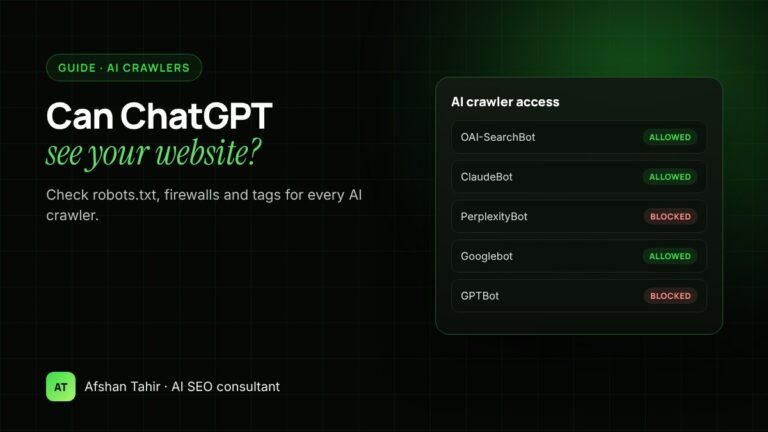
ChatGPT can see your website if OpenAI’s crawlers are allowed in your robots.txt, aren’t blocked by your firewall or CDN, and your pages aren’t hidden with noindex or nosnippet tags. The crawler that matters for appearing in ChatGPT search is OAI-SearchBot; GPTBot is only used for training. You can check all of this in a few minutes, and the same checks apply to Claude, Perplexity, Google, Microsoft Copilot and Apple.
The quickest way is my free AI Crawler Checker, which tests 15 AI and search crawlers against any page. This guide explains what it checks and how to do it yourself.
Which crawlers matter, and what each one does
AI companies run different bots for different jobs. Blocking the wrong one can remove you from AI answers without stopping what you meant to stop.
| Company | Search / answers | User-triggered visits | Model training |
|---|---|---|---|
| OpenAI (ChatGPT) | OAI-SearchBot | ChatGPT-User | GPTBot |
| Anthropic (Claude) | Claude-SearchBot | Claude-User | ClaudeBot |
| Perplexity | PerplexityBot | Perplexity-User | (not used for training) |
| Google (Search, AI Overviews, AI Mode, Gemini) | Googlebot | – | Google-Extended (a control token, not a separate crawler) |
| Microsoft (Bing, Copilot) | Bingbot | – | – |
| Apple (Siri, Spotlight, Safari) | Applebot | – | Applebot-Extended (a control token) |
A few details worth knowing:
- OAI-SearchBot is what puts your site in ChatGPT search answers. OpenAI says sites that block it won’t appear in ChatGPT search answers, and that robots.txt changes take about 24 hours to apply (Overview of OpenAI crawlers).
- GPTBot collects content that may be used to train OpenAI’s models. Blocking it doesn’t remove you from ChatGPT search.
- ChatGPT-User opens a page when a user asks ChatGPT about it. OpenAI says robots.txt rules may not apply, because a person started the request.
- Google-Extended controls whether your content is used for Gemini training and grounding. It doesn’t affect Google Search, AI Overviews or AI Mode, which use Googlebot (AI features and your website).
- Bingbot matters for Microsoft Copilot, which draws on Bing’s index.
Check 1: robots.txt
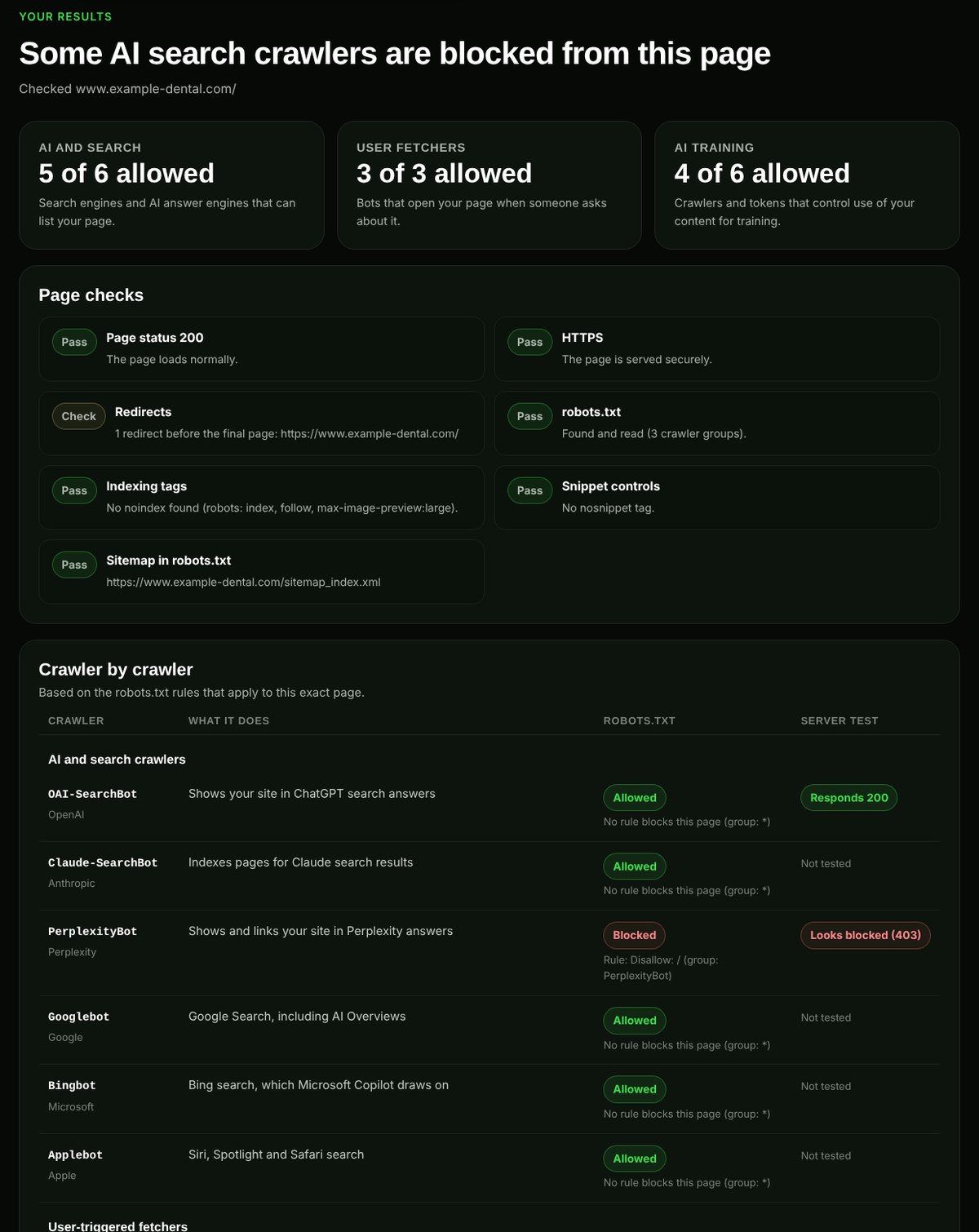
Open yoursite.com/robots.txt in your browser and look for groups that name AI crawlers, or a group for all crawlers (User-agent: *) with Disallow: /.
- A crawler follows the most specific group that names it. If there’s a group for
GPTBot, GPTBot ignores the*group. Disallow: /blocks the whole site for that crawler. An emptyDisallow:allows everything.- Some SEO plugins and hosting templates add AI-blocking rules you didn’t write. Check, even if you’ve never edited the file.
If you want to be found in AI answers but would rather not have your content used for training, this is a common setup:
# AI search and assistants: allowed
User-agent: OAI-SearchBot
User-agent: ChatGPT-User
User-agent: Claude-SearchBot
User-agent: Claude-User
User-agent: PerplexityBot
Allow: /

# AI model training: blocked
User-agent: GPTBot
User-agent: ClaudeBot
User-agent: Google-Extended
User-agent: Applebot-Extended
User-agent: CCBot
Disallow: /
That’s a business choice, not a requirement. Allowing everything is also fine.
Check 2: your firewall, CDN and security plugins
This is the problem robots.txt can’t show you. Cloudflare and other CDNs, hosting firewalls and WordPress security plugins can block or challenge bots before they ever reach robots.txt. Cloudflare, for example, offers settings that block AI crawlers by default, and some sites have them switched on without knowing.
To check:
- In Cloudflare, look at the AI crawler and bot settings under Security, and at any WAF rules that block user agents.
- In your security plugin (Wordfence, Sucuri, All-In-One Security and others), check rate limits and blocked user agents.
- Ask your host whether their firewall blocks AI crawlers.
The AI Crawler Checker sends test requests as several AI crawlers from our server. A 403 or a challenge page usually means a firewall is blocking that bot, even when robots.txt allows it.
Check 3: noindex, nosnippet and other page tags
A page can be reachable but still kept out of answers by tags in its HTML or headers:
noindexkeeps the page out of Google and Bing, and so out of AI answers built on them.nosnippet,max-snippetanddata-nosnippetlimit what Google can show, including in AI Overviews and AI Mode.- Pages behind a login, a cookie wall or heavy JavaScript can be hard for some AI crawlers to read, because not all of them run JavaScript the way Googlebot does.
Use Google Search Console’s URL Inspection tool to see whether Google has indexed a page and what it found. For Bing, which matters for Copilot, use Bing Webmaster Tools.
Check 4: your server logs
Your access logs show which crawlers actually visit. Search them for OAI-SearchBot, GPTBot, ChatGPT-User, ClaudeBot, PerplexityBot and Bingbot. Many hosts, including Hostinger and cPanel hosts, let you download raw logs from the control panel.
Two cautions: anyone can fake a user agent, so OpenAI and Perplexity publish the IP ranges their crawlers use, which you can check against. And no visits doesn’t always mean you’re blocked; a new or small site may simply not have been crawled yet.
Check 5: ask the AI tools directly
Ask ChatGPT, Claude or Perplexity to open a specific page on your site and summarise it. If it says it can’t access the page, that points to a block, a login or a JavaScript problem. This tests the user-triggered fetchers, not the search crawlers, so it’s a useful extra check rather than proof.
What to do if you’re blocked
- Decide which crawlers you want: search and user-triggered bots if you want to appear in AI answers, training bots only if you’re happy for your content to train models.
- Update robots.txt, then your firewall or CDN settings, then any security plugin.
- Re-run the AI Crawler Checker to confirm.
- Give it time. OpenAI says search changes take about a day; recrawling and reindexing elsewhere can take days or weeks.
Access is only step one. Once crawlers can reach you, your pages need to be clear and trusted enough to be quoted. Score a page with the AI-Readiness Grader, and read how to get your business recommended by ChatGPT.
Frequently asked questions
Should I block GPTBot?
It’s your choice. Blocking GPTBot asks OpenAI not to use your content for training. It doesn’t remove you from ChatGPT search, which uses OAI-SearchBot.
If I block GPTBot, will ChatGPT still recommend my business?
It can, as long as OAI-SearchBot is allowed and your site is otherwise easy to find and trust. Recommendations also depend on what other sites say about you.
Does blocking Google-Extended remove me from AI Overviews?
No. AI Overviews and AI Mode are part of Google Search and use Googlebot. Google-Extended only affects use of your content in Gemini training and grounding outside Search.
How do I know if ChatGPT has visited my site?
Check your server logs for OAI-SearchBot, GPTBot and ChatGPT-User. In Google Analytics, visits from ChatGPT links often show chatgpt.com as the source.
How long after unblocking will my site appear in ChatGPT?
OpenAI says robots.txt changes for search take about 24 hours to apply. Appearing in answers then depends on your content and how well-known your business is, so there’s no fixed timeline.
Want someone to check it for you? See my AI SEO services or technical SEO services.