 By
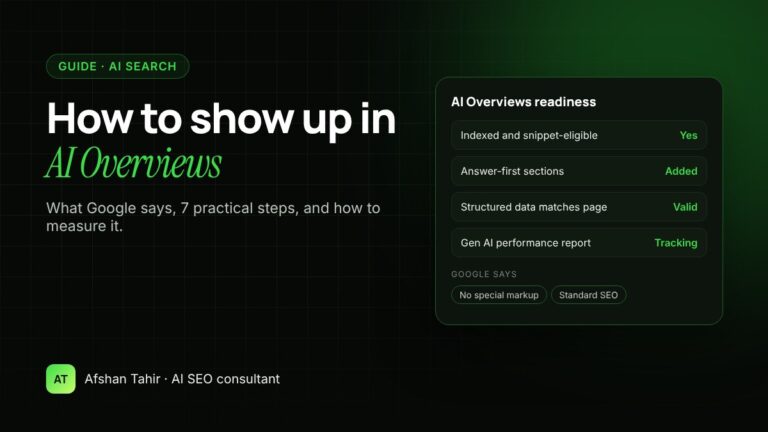
To show up in Google AI Overviews, your page must be indexed and eligible to appear in Google Search with a snippet. Beyond that, Google says no special markup or optimization is needed. In practice, the pages that get linked are clear, well-structured, credible answers to the questions people actually search, backed by solid SEO.
AI Overviews visibility is part of my AI SEO services. Here’s what Google says, and the steps I use.
What Google says about AI Overviews
Google’s guidance is direct: “There are no additional requirements to appear in AI Overviews or AI Mode, nor other special optimizations necessary” (Google Search Central). To be shown as a supporting link, a page needs to be indexed and eligible to appear in Search with a snippet. Google also notes that indexing and serving aren’t guaranteed.
The best practices Google lists are standard SEO:
- Allow crawling in robots.txt and in any CDN or hosting settings
- Make content easy to find through internal links
- Give visitors a good page experience
- Keep important content in text form, supported by relevant images and video
- Make sure structured data matches the visible text
- Keep your Google Business Profile and Merchant Center information up to date
7 steps to improve your chances
1. Check that your page is eligible
Use the URL Inspection tool in Search Console to confirm the page is indexed. Make sure it isn’t blocked by robots.txt and doesn’t use nosnippet or a very low max-snippet setting, because those also limit what AI features can show.
2. Target questions, not just keywords
Many AI Overviews answer questions, such as “how”, “what” and “should I” searches. List the real questions your buyers ask and make sure each one has a clear answer on the most relevant page.
3. Answer first, then explain
Open each section with a direct one- or two-sentence answer, then add detail, examples and steps. Use descriptive headings that match the question. A clear, self-contained answer is easier for Google to understand and link to.
4. Cover the follow-up questions
People rarely ask just one thing. If someone asks “how much does local SEO cost?”, they also want to know what’s included, how long it takes and whether it’s worth it. Pages that cover the natural follow-ups give Google more reasons to use them.
5. Show experience and proof
Add what generic content can’t: your own examples, real numbers, case studies, author details and credentials. My website rebuild case study is one example of first-hand evidence.
6. Keep the technical basics strong
Fast pages, clean indexing, logical internal links and structured data that matches the page all help Google understand your content. If you’re not sure where you stand, a technical audit is the right first step. See my technical SEO services.
7. Keep business details current
For local and product searches, Google draws on your Business Profile and Merchant Center data. Keep hours, services, prices and product details accurate.
How to measure your AI Overviews visibility
Search Console now has a Generative AI performance report. It shows how often links to your site appeared in AI Overviews and AI Mode, broken down by pages, countries, dates and devices. Google says it rolled out to all websites worldwide as of August 31, 2026 (Search Console Help).
- Impressions: how many times links to your site were shown in these features.
- Pages: which pages get the most and fewest AI impressions, so you can see which answers work.
- Clicks and leads: AI feature traffic is counted in your normal Search Console Performance report under the “Web” search type, so track leads in Google Analytics alongside it.
If the report doesn’t appear for your site, Google says you probably haven’t had enough impressions in these features yet.
Can you stop Google using your content in AI Overviews?
Yes, with the same controls that limit snippets: nosnippet, data-nosnippet, max-snippet or noindex. Be careful: these also affect how your pages appear in normal search results.
What you don’t need
- Special AI files or new schema types. Google says they aren’t required for AI Overviews.
- Rewriting everything for AI. Improve your most important pages first.
- Anyone promising guaranteed AI Overviews placement. Google doesn’t guarantee it, so no one else can.
For the wider picture, including ChatGPT and Perplexity, read my guides to generative engine optimization (GEO) and getting recommended by ChatGPT.
Frequently asked questions
How do I get my website into Google AI Overviews?
Make sure your pages are indexed and eligible to show a snippet, then publish clear, credible answers to the questions your audience searches. Google says no special markup or optimization is required.
Do I need special schema markup for AI Overviews?
No. Google says no special schema is needed. Use normal structured data where it fits, and make sure it matches the visible content on the page.
How can I see if my site appears in AI Overviews?
Use the Generative AI performance report in Google Search Console. It shows impressions from AI Overviews and AI Mode by page, country, date and device.
Do AI Overviews reduce clicks to websites?
It varies by search and industry. Google says clicks from results pages with AI Overviews are higher quality, meaning visitors are more likely to spend time on the site. Track your own clicks and leads to see the effect on your business.
Can I opt out of AI Overviews?
You can limit what Google shows using nosnippet, data-nosnippet, max-snippet or noindex. These controls also affect your normal search snippets, so use them carefully.
Want to know if your business shows up in AI answers? Book a free 30-minute call. Before we speak, I’ll ask ChatGPT and Google five questions your customers ask, and show you whether your business comes up and who appears instead.