 By
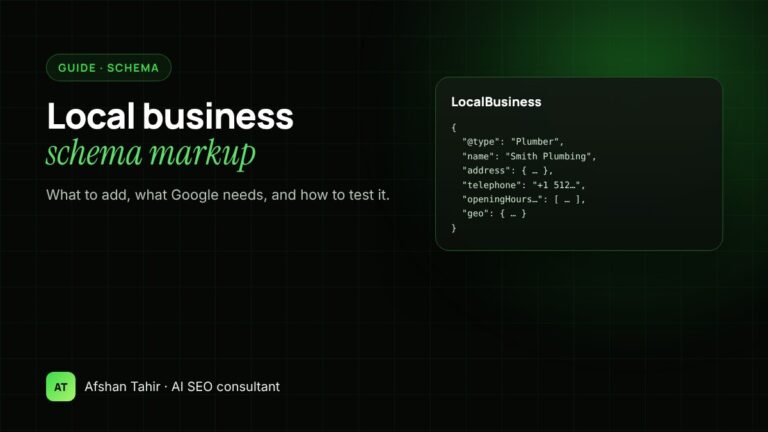
Local business schema is a short block of JSON-LD code that tells search engines your business name, type, address, phone number, opening hours and location in a format they can read without guessing. Google only requires two properties for LocalBusiness markup, name and address, but recommends adding your phone, website, opening hours, coordinates and price range. This guide shows what to add, which type to choose, how it relates to AI search, and how to test it before it goes live.
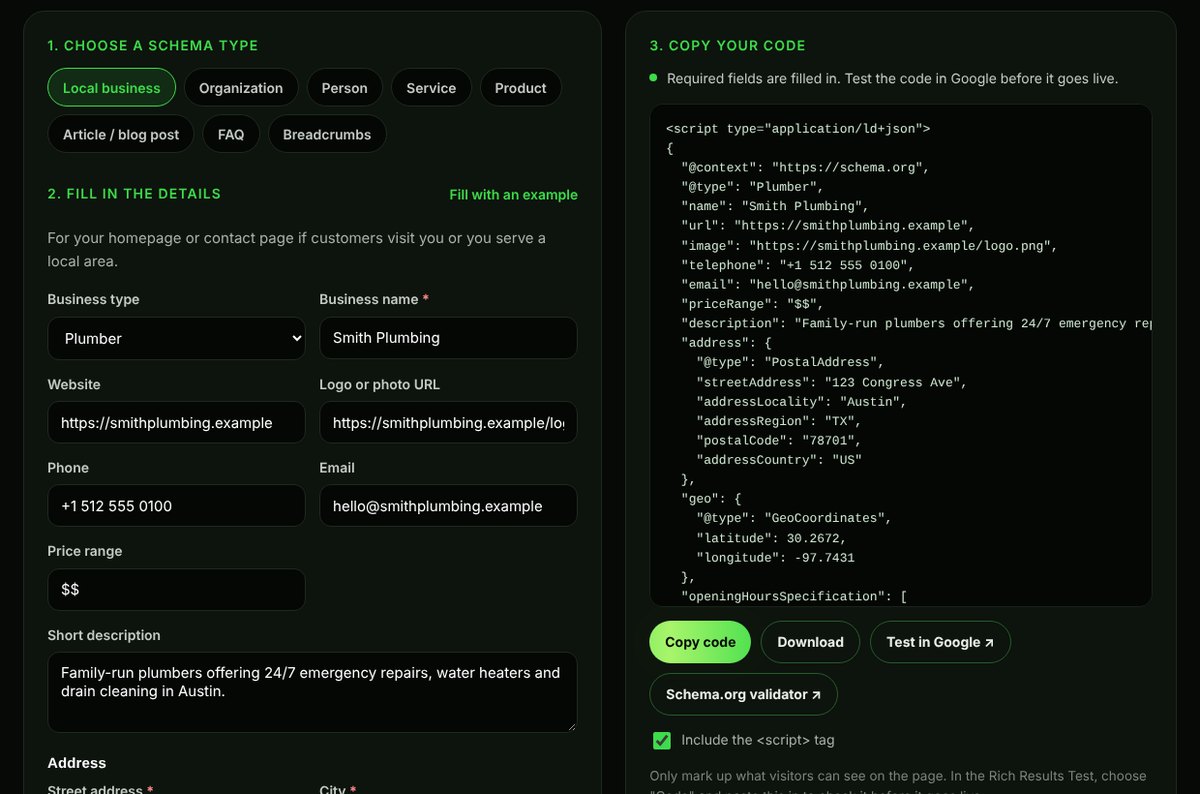
If you’d rather skip the code, my free Schema Markup Generator builds it for you from a simple form and flags the fields Google requires.
What local business schema does
Your website already shows your address and opening hours to visitors. Schema markup repeats those same facts in a structured format, using the shared vocabulary at schema.org, so search engines don’t have to work them out from your page layout. Google uses this to understand your business and, where it’s eligible, to show richer results.
It doesn’t change what visitors see, and it isn’t a ranking shortcut. It removes ambiguity: which business this is, where it is, and when it’s open.
What Google requires and recommends
According to Google’s local business structured data guide:
| Property | Status | Notes |
|---|---|---|
name |
Required | The business name, the same as on your sign and Google Business Profile |
address |
Required | A PostalAddress with as many fields as you can fill |
telephone |
Recommended | Include the country and area code |
url |
Recommended | The page for this specific location |
openingHoursSpecification |
Recommended | Days, opening and closing times; seasonal dates if needed |
geo |
Recommended | Latitude and longitude, with at least five decimal places |
priceRange |
Recommended | For example “$$”, under 100 characters |
aggregateRating / review |
Recommended, with limits | Only for sites that collect reviews of other businesses |
That last row matters. Google doesn’t show review stars for a business marking up reviews of itself, so adding your own rating to your LocalBusiness markup won’t give you stars in search.
Choose the most specific business type
Google asks you to use the most specific type that fits. LocalBusiness works, but Plumber or Dentist says more. Some common choices:
| Business | Schema type |
|---|---|
| Plumber, electrician, roofer, HVAC | Plumber, Electrician, RoofingContractor, HVACBusiness |
| Remodeling or general contractor | HomeAndConstructionBusiness or GeneralContractor |
| Dental or medical clinic | Dentist, MedicalClinic |
| Law firm, accountant, insurance | Attorney, AccountingService, InsuranceAgency |
| Restaurant or café | Restaurant, CafeOrCoffeeShop |
| Shop with a physical store | Store or a subtype such as JewelryStore |
| Consultant or agency that visits clients | ProfessionalService |
If your business has no public address, for example an online store or a remote consultancy, use Organization instead of LocalBusiness. Don’t invent an address to fit the type.
A complete example
Here’s LocalBusiness markup for a fictional plumber. Replace every value with your own details, exactly as they appear on your website and Google Business Profile.
<script type="application/ld+json">
{
  "@context": "https://schema.org",
  "@type": "Plumber",
  "@id": "https://smithplumbing.example/#business",
  "name": "Smith Plumbing",
  "url": "https://smithplumbing.example/",
  "image": "https://smithplumbing.example/logo.png",
  "telephone": "+1 512 555 0100",
  "priceRange": "$$",
  "address": {
    "@type": "PostalAddress",
    "streetAddress": "123 Congress Ave",
    "addressLocality": "Austin",
    "addressRegion": "TX",
    "postalCode": "78701",
    "addressCountry": "US"
  },
  "geo": {
    "@type": "GeoCoordinates",
    "latitude": 30.26715,
    "longitude": -97.74306
  },
  "openingHoursSpecification": [{
    "@type": "OpeningHoursSpecification",
    "dayOfWeek": ["Monday", "Tuesday", "Wednesday", "Thursday", "Friday"],
    "opens": "08:00",
    "closes": "18:00"
  }],
  "areaServed": ["Austin", "Round Rock", "Cedar Park"],
  "sameAs": ["https://www.facebook.com/smithplumbing"]
}
</script>
You can generate this with your own details in a couple of minutes:
Other schema a local business site should have
LocalBusiness markup belongs on your homepage or contact page. A few other types help on the rest of the site:
- Service on each service page, naming the service, the area you serve and your business as the provider.
- BreadcrumbList on most pages, so search engines see how pages fit together.
- Article or BlogPosting on blog posts, with the author and dates.
- FAQPage where real questions and answers appear on the page. Since 2023 Google only shows FAQ rich results for well-known government and health websites, but the markup still describes your content clearly.
- Organization with
sameAslinks to your Google Business Profile, Facebook, LinkedIn and directory listings, so search engines can connect those profiles to you.
Does schema help with AI Overviews, ChatGPT and other AI search?
Be careful with anyone who promises it does. Google says there are no special requirements or special schema needed to appear in AI Overviews or AI Mode. A page needs to be indexed and eligible to show in Search with a snippet. Google does recommend that any structured data you use matches the visible text on the page (AI features and your website).
What schema does give you is consistency. When your name, address, phone number, services and profiles are stated the same way in your markup, on your pages and across directories, search engines and the AI tools built on top of them have fewer conflicting facts to sort out. That’s the part of generative engine optimization (GEO) and answer engine optimization (AEO) you fully control. ChatGPT, Perplexity, Gemini, Claude and Microsoft Copilot don’t publish rules about schema, so treat it as one supporting signal, not a lever.
To see whether AI tools recommend your business today, run the free AI Visibility Checker, or follow my guide on how to check if AI recommends your business.
How to add schema to your website
- WordPress: most SEO plugins, including Rank Math and Yoast, add basic Organization or LocalBusiness markup from their settings. For full control, paste your JSON-LD into the plugin’s custom schema option or a header code plugin. Don’t add a second LocalBusiness block if your plugin already outputs one; edit the plugin’s version instead.
- Shopify: add the script to your theme’s homepage or contact page template, or use a schema app. Check your theme first, because many add Organization markup already.
- Wix and Squarespace: both allow custom code in the page header or per-page settings.
- Any other site: paste the full
<script type="application/ld+json">block into the page’s<head>.
How to test it
- Paste your code, or the live page URL, into Google’s Rich Results Test. Fix any errors it reports.
- Check the same code in the Schema.org validator, which also catches problems with types Google doesn’t show as rich results.
- After the page is recrawled, watch the Enhancements reports in Google Search Console for new errors.
- Compare the markup with the page one last time: the hours, phone and address must match what visitors see.
Common mistakes
- Details that don’t match. Different phone numbers or opening hours on the page, in the schema and on your Google Business Profile.
- Self-serving review markup. Adding your own star rating to LocalBusiness markup. It won’t show and it isn’t what the markup is for.
- Duplicate blocks. A plugin, a theme and a manual script all describing the business in slightly different ways.
- A generic type. Using LocalBusiness when a specific type such as Dentist or Plumber exists.
- Marking up hidden content. Schema should describe what’s on the page, not information visitors can’t see.
- Set and forget. Changing your hours or phone number on the site but not in the markup.
Frequently asked questions
Is schema markup a ranking factor?
Not directly. It helps search engines understand your page and can make it eligible for rich results, which can improve how your listing looks. Rankings still depend on relevance, quality and your local presence.
Do I need LocalBusiness schema if I have a Google Business Profile?
Yes, it’s still worth adding. Your Business Profile describes you on Google Maps; schema describes your website. Matching details in both places help search engines connect the two.
Should every location have its own markup?
Yes. Each location should have its own page with its own LocalBusiness markup, address, phone number and hours.
Which format should I use: JSON-LD, Microdata or RDFa?
JSON-LD. Google recommends it, and it’s the easiest to add and maintain because it sits in one block instead of being mixed into your HTML.
Will schema get my business into AI Overviews or ChatGPT answers?
No markup guarantees that. Google says AI Overviews need no special schema, and AI assistants don’t publish rules about it. Accurate, consistent schema supports the clarity that helps, alongside good content and mentions on trusted sites.
Want your schema checked? The free schema review covers your homepage and two key pages, or see my local SEO services and technical SEO services.