 By
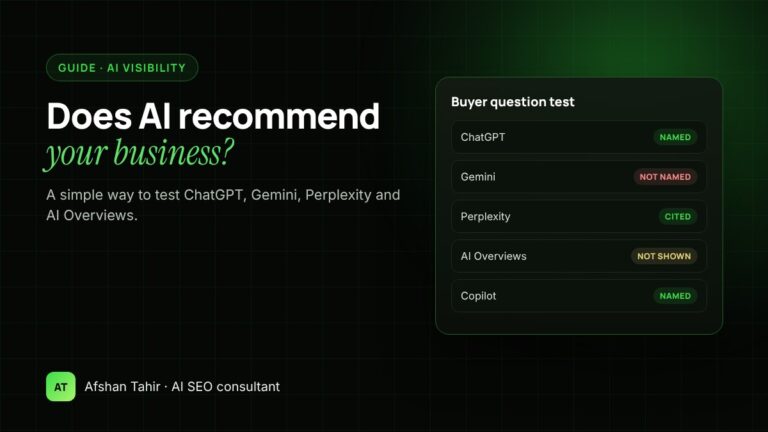
To check if AI recommends your business, ask the AI tools your customers use the questions your customers ask, such as “best emergency plumber in Austin”, and record whether you’re named, linked or described correctly. Test ChatGPT, Google AI Overviews and AI Mode, Gemini, Perplexity, Microsoft Copilot and Claude, repeat the same questions every month, and compare the results with your Search Console and analytics data. Answers vary between runs and between people, so look for patterns over several checks rather than trusting a single screenshot.
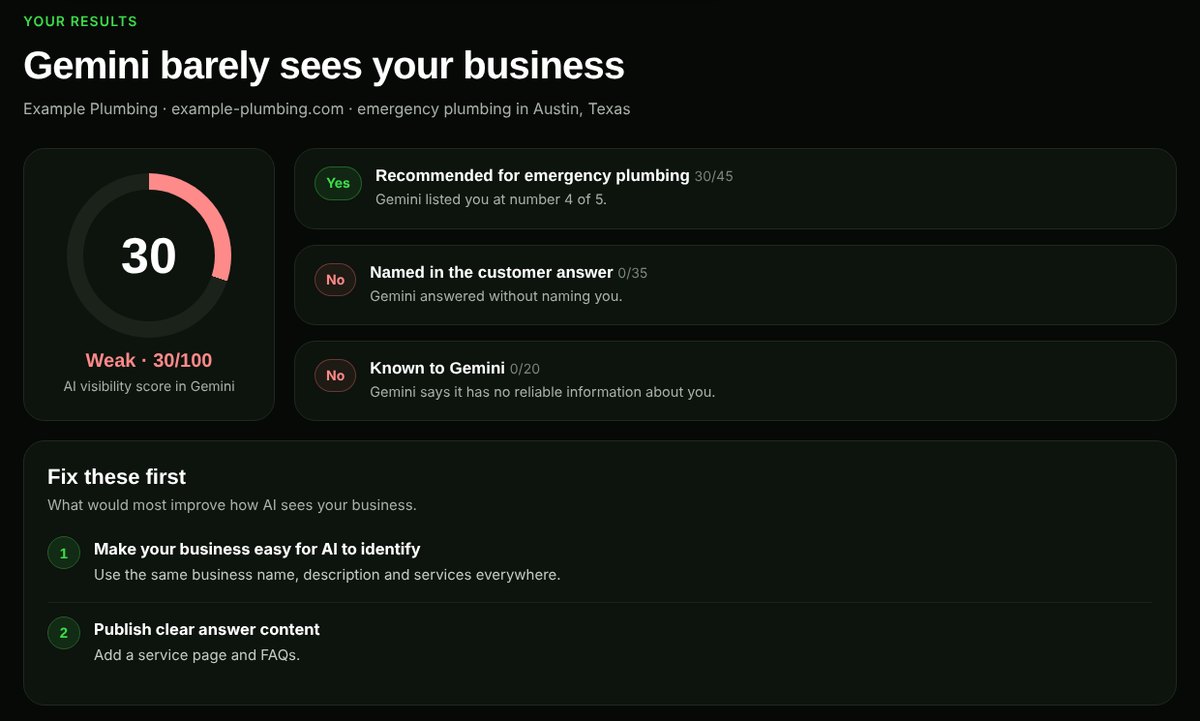
For a quick first look, my free AI Visibility Checker asks Google’s Gemini three questions about your business and scores the result out of 100. This guide shows how to run a fuller check yourself across every major AI platform.
Why AI visibility needs its own check
Ranking well on Google doesn’t guarantee an AI tool will name you. AI answers combine several sources into one short reply, often name only three to five businesses, and may cite review sites, directories and articles about you rather than your own website. That’s why answer engine optimization (AEO), generative engine optimization (GEO), generative experience optimization (GXO, a name that comes from Google’s original Search Generative Experience) and AI Overview optimization (AIO) are now part of SEO. The names differ, but they share one goal, getting your business named and cited in AI-generated answers, and you need to measure that separately from rankings. If you’re new to the terms, start with what generative engine optimization is.
Step 1: write 10 to 20 real customer questions
Use the questions people actually ask before they buy, not your brand name. Mix three kinds:
- Recommendation questions: “Who is the best [service] in [city]?”, “Recommend a [product] for [use].”
- Problem questions: “How do I fix [problem]?”, “What does [service] cost in [city]?”
- Brand questions: “What is [your business] known for?”, “Is [your business] good for [service]?”
Good sources for these are your sales calls and emails, the “People also ask” boxes in Google, and the queries in your Google Search Console Performance report.
Step 2: test each AI platform
| Platform | Where to test | What feeds its answers |
|---|---|---|
| Google AI Overviews and AI Mode | A normal Google search, and the AI Mode tab | Google’s search index (your pages must be indexed and allowed a snippet) |
| ChatGPT | chatgpt.com, with search turned on | Its own training plus live search; your site needs to allow OAI-SearchBot |
| Gemini | gemini.google.com | Google’s models and Google Search |
| Perplexity | perplexity.ai | Live web search, with numbered source links |
| Microsoft Copilot | copilot.microsoft.com or Bing | Bing’s search index |
| Claude | claude.ai, with web search on | Its own training plus web search |
A few rules make the results more reliable:
- Use a private or logged-out window where possible, so your own history doesn’t skew the answer.
- Set the location to match your customers. For local businesses, ask with the city in the question.
- Ask each question two or three times, or in a fresh chat each time, because answers change between runs.
- Write down the date, since models and search results change month to month.
Step 3: record what you find
A simple spreadsheet is enough. Use one row per question and platform:
| Column | What to record |
|---|---|
| Named? | Yes / No: does the answer mention your business? |
| Position | First, in the list, or a passing mention |
| Linked or cited? | Is your website one of the sources? |
| Accurate? | Are your services, location and prices described correctly? |
| Competitors named | Which businesses appear instead of, or alongside, you |
| Sources cited | Which websites the answer draws on: directories, review sites, news, competitors |
The “sources cited” column is often the most useful. If Perplexity and Google keep citing the same directory, list or review site, that’s where you need to be mentioned.
Step 4: check your data, not just the answers
Spot checks show what AI says. Your data shows whether it sends visitors:
- Google Search Console: clicks and impressions from AI Overviews and AI Mode are included in the Performance report under the “Web” search type. Google doesn’t report them separately (AI features and your website). Rising impressions for question-style queries are a good sign.
- Google Analytics 4: look in Traffic acquisition for referrals from
chatgpt.com,perplexity.ai,gemini.google.com,copilot.microsoft.comandclaude.ai. Many AI visits arrive without a referrer, so treat this as a minimum. - Your enquiry form: add “How did you hear about us?” with an option for ChatGPT or other AI tools. It’s often the clearest signal for a small business.
Step 5: fix what’s holding you back
If AI tools don’t mention you, the cause is usually one of these:
| What you see | Likely cause | Where to start |
|---|---|---|
| No AI tool mentions you, even for your brand name | Crawlers blocked, or pages not indexed | Check if ChatGPT can see your website |
| Named for your brand, never for your service | Service pages don’t clearly answer the question | AI-Readiness Grader |
| Competitors named, cited from directories and lists | Not enough mentions on trusted third-party sites | Getting recommended by ChatGPT |
| Described with wrong services or location | Inconsistent details across your site and profiles | Local business schema |
| Ranking on Google but missing from AI Overviews | Pages lack short, direct answers | Showing up in AI Overviews |
How often to check
Monthly is enough for most small businesses: the same questions, the same platforms, recorded in the same sheet. After a big change, such as new service pages, new reviews or a directory campaign, recheck after four to six weeks. Expect some movement between checks even when nothing has changed; trends over three months tell you more than any single result.
Frequently asked questions
Is there a tool that checks every AI platform at once?
Paid AI visibility platforms track prompts across several AI tools. They’re useful at scale, but a monthly manual check of 10 to 20 questions gives a small business most of the insight for free. My free AI Visibility Checker covers Gemini.
Why does ChatGPT give a different answer every time?
AI answers are generated fresh each time and can draw on different search results, so the businesses named can change between runs. That’s why you should ask each question more than once and look for patterns.
Can I see AI Overview traffic in Search Console?
It’s included in the Web search type of the Performance report, but Google doesn’t show it as a separate filter. Track impressions for question-style queries over time instead.
How long does it take to start appearing in AI answers?
There’s no fixed timeline. Technical fixes such as unblocking crawlers can apply within days, while earning mentions and building trust usually takes months.
Does Google ranking matter for ChatGPT and other AI tools?
It helps. AI tools that search the web rely on search indexes, and pages that rank and are widely cited are more likely to be used. But AI answers also lean on reviews, directories and articles about you, so ranking alone isn’t enough.
Want this checked for you? Request a free AI visibility check, or see my AI SEO services.