 By
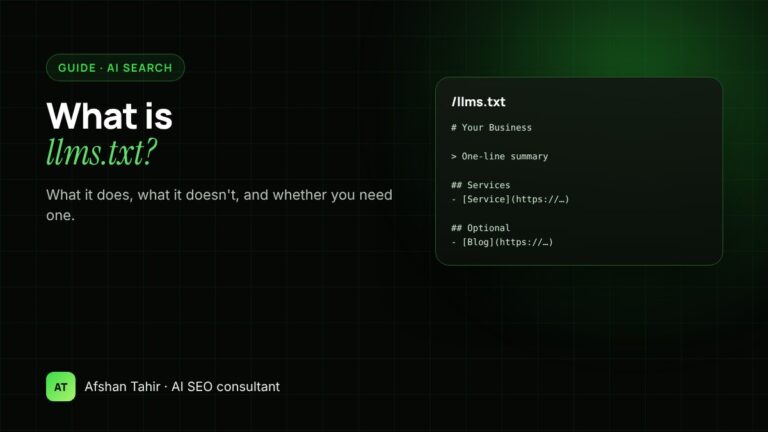
llms.txt is a plain-text Markdown file at yoursite.com/llms.txt that gives AI tools a short summary of your website and links to your most useful pages. It’s a proposed standard, not an official one: Google says you don’t need it for AI Overviews or AI Mode, and no major AI search engine has confirmed it uses the file to choose sources. It takes a few minutes to create, so it’s a reasonable small extra, but it won’t fix a site that AI tools can’t crawl or don’t trust.
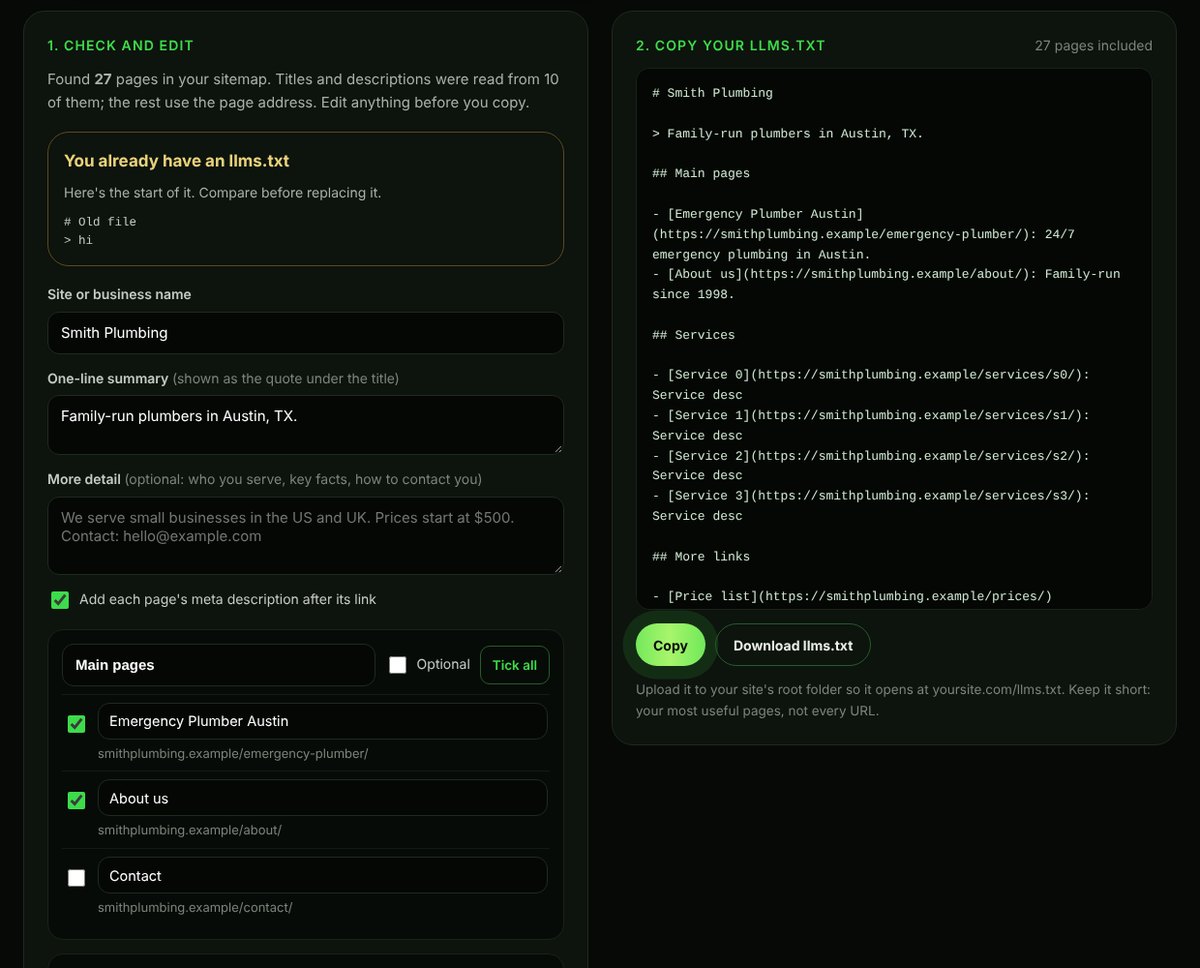
You can build one from your sitemap with my free llms.txt Generator.
Where llms.txt came from
The format was proposed in September 2024 by Jeremy Howard of Answer.AI, and is documented at llmstxt.org. The idea is simple: web pages are full of menus, scripts and layout that language models have to wade through, so a site can offer a clean, curated summary instead. It caught on first with software documentation sites, where developers point AI coding assistants at a library’s docs.
What an llms.txt file looks like
The proposal uses ordinary Markdown in a set order:
- An H1 with the name of the site or business (the only required part)
- A one-line summary in a blockquote
- Optional paragraphs with more detail
- H2 sections, each with a list of links and a short note on each
- An optional section called “Optional” for links that can be skipped when space is short
# Smith Plumbing

> Family-run plumbers offering 24/7 emergency repairs, water heaters and drain cleaning in Austin, Texas.

We serve homes and small businesses across Austin, Round Rock and Cedar Park.

## Services

- [Emergency plumbing](https://smithplumbing.example/emergency-plumber/): 24/7 repairs, usually on site within 60 minutes
- [Water heaters](https://smithplumbing.example/water-heaters/): repair and replacement
- [Pricing](https://smithplumbing.example/pricing/): call-out fees and typical job costs

## About

- [About us](https://smithplumbing.example/about/): licences, team and service area
- [Contact](https://smithplumbing.example/contact/): phone, email and booking

## Optional

- [Blog](https://smithplumbing.example/blog/): plumbing tips and guides
You can see a real example on this site at afshanseoexpert.com/llms.txt.
Does llms.txt help SEO or AI visibility?
Here’s what the evidence says, as of late 2026:
- Google Search: Google’s May 2026 guide to generative AI features lists llms.txt among things you don’t need for AI Overviews and AI Mode, and Google’s John Mueller has compared it to the old keywords meta tag (Search Engine Journal). Google’s own documentation says no new machine-readable files are needed to appear in AI features (AI features and your website).
- Chrome Lighthouse: version 13.3 added an experimental “agentic browsing” audit that checks whether a site has an llms.txt file. It’s aimed at AI agents that browse on a user’s behalf, not at search rankings.
- ChatGPT, Perplexity, Claude, Gemini and Copilot: none has said it uses llms.txt to decide which websites to cite or recommend in answers.
- AI coding and agent tools: some read llms.txt files when a user points them at a site, which is where the format is most useful today.
So the honest answer: llms.txt is cheap to add and may help some AI agents, but don’t expect rankings, citations or traffic from it.
How to create an llms.txt file
- List your key pages. Your main services or products, pricing, about, contact and your most useful guides. Ten to forty links is plenty for most small business sites.
- Write a clear summary. One sentence that says who you are, what you offer and who you serve, using the same wording as your homepage.
- Group the links under headings such as Services, Products, Guides and About, with a short note after each link.
- Move less important links to “Optional”. Older blog posts and archive pages go here.
- Upload it to your site’s root folder so it opens at yoursite.com/llms.txt. On most hosts that’s the
public_htmlfolder, reachable through your host’s File Manager. Some WordPress SEO plugins can generate and serve the file for you. - Check it loads as plain text in your browser, and update it when you add or remove important pages.
The llms.txt Generator does steps 1 to 4 for you from your sitemap. Some sites also publish a larger llms-full.txt with the full text of key pages; that’s mainly useful for documentation sites, not small business websites.
llms.txt vs robots.txt
| robots.txt | llms.txt | |
|---|---|---|
| Purpose | Tells crawlers what they may or may not access | Points AI tools to your most useful content |
| Can block AI crawlers? | Yes, for crawlers that follow it | No |
| Standard | Formal internet standard (RFC 9309) | Community proposal |
| Affects Google Search? | Yes, it controls Googlebot access | No, according to Google |
If you want to control which AI crawlers can read your site, robots.txt is the file that matters. Check yours with the free AI Crawler Checker, and read how to check if ChatGPT can see your website.
What matters more than llms.txt
If your goal is to be found in AI Overviews, ChatGPT, Perplexity, Gemini and Copilot, spend your time here first:
- Crawler access. Make sure Googlebot, Bingbot, OAI-SearchBot, PerplexityBot and Claude’s crawlers aren’t blocked by robots.txt or a firewall.
- Indexing. Pages need to be indexed in Google and Bing, because AI answers lean heavily on search indexes.
- Answer-ready pages. Clear service pages and guides that answer real customer questions near the top. The AI-Readiness Grader scores a page on this.
- Consistent business details. The same name, services and contact details on your site, in your schema markup and across directories.
- Mentions on trusted sites. Reviews, directories, lists and articles that name your business.
My guides on getting recommended by ChatGPT and showing up in Google AI Overviews go through these in detail.
Frequently asked questions
Is llms.txt an official standard?
No. It’s a community proposal published at llmstxt.org in 2024. It isn’t an internet standard like robots.txt, and no search engine has committed to using it.
Does Google use llms.txt?
Google says you don’t need it to appear in AI Overviews or AI Mode, and that no new files or markup are required for AI features. Chrome’s Lighthouse checks for it in an experimental audit for AI agents, which is separate from Search.
Can llms.txt block AI from using my content?
No. llms.txt only points to content. To allow or block AI crawlers, use robots.txt, and check that your firewall or CDN isn’t blocking them by accident.
Where do I put the llms.txt file?
In the root folder of your website, so it opens at yoursite.com/llms.txt. Files in subfolders won’t be found.
Should a small business bother with llms.txt?
It’s optional. If you have ten minutes, add one. If you have limited time, fix crawler access, indexing and your key service pages first, because those affect AI visibility much more.
Not sure where your site stands with AI search? Start with the free AI SEO tools, or see my AI SEO services.